
How to Track Schengen 90/180 Days for Multiple Travelers (Up to 50 Profiles)
Managing Schengen Area travel limits under the 90/180-day rule is challenging enough for a single traveler. When you are responsible for tracking entry and exit dates for multiple employees, clients, drivers, or family members, keeping spreadsheets updated becomes both time-consuming and prone to costly compliance errors.
To solve this, we built the Multi-Traveler Manager inside your member workspace on visa-calculator.com — allowing you to track and manage up to 50 individual traveler profiles under a single account.
Who Is Multi-Traveler Manager Built For?
Whether you manage corporate compliance or group itineraries, the workspace adapts to your workflow:
- International Transport & Logistics Companies: Effortlessly monitor remaining Schengen days for commercial truck drivers and crew members to prevent unexpected border delays or overstay penalties.
- Law Firms & Immigration Consultants: Keep separate, organized travel records for up to 50 clients using custom Case IDs or department tags.
- Travel Agencies & Tour Operators: Plan multi-leg European itineraries for groups while ensuring every traveler stays within their legal 90-day allowance.
- Trade Fair & Exhibition Organizers: Track international exhibitors, speakers, and staff traveling frequently into the Schengen zone.
- Families & Travel Groups: Manage everyone’s travel history in one place before booking your next European holiday.
Key Features at a Glance
- 50 Independent Traveler Profiles: Each profile maintains its own separate travel history, rolling 180-day calculation, and earliest re-entry date projections.
- Instant Overview & Quick Switching: Switch between travelers in seconds from a single dropdown menu, or open the Manage Travelers panel to see every traveler's remaining days at a glance.
- Custom Notes & Labels: Assign a Department, Case ID, or Relationship to each profile, and add trip-specific notes right next to every entry and exit date.
- Privacy-Safe Border Guard Mode PDFs: When generating a Border Guard Mode report for a traveler profile, the system automatically prints a unique Report ID along with the traveler’s masked initials (e.g., Txxx Pxxx) in the top-right corner. This ensures managers never mix up printed documents while keeping full personal names private.
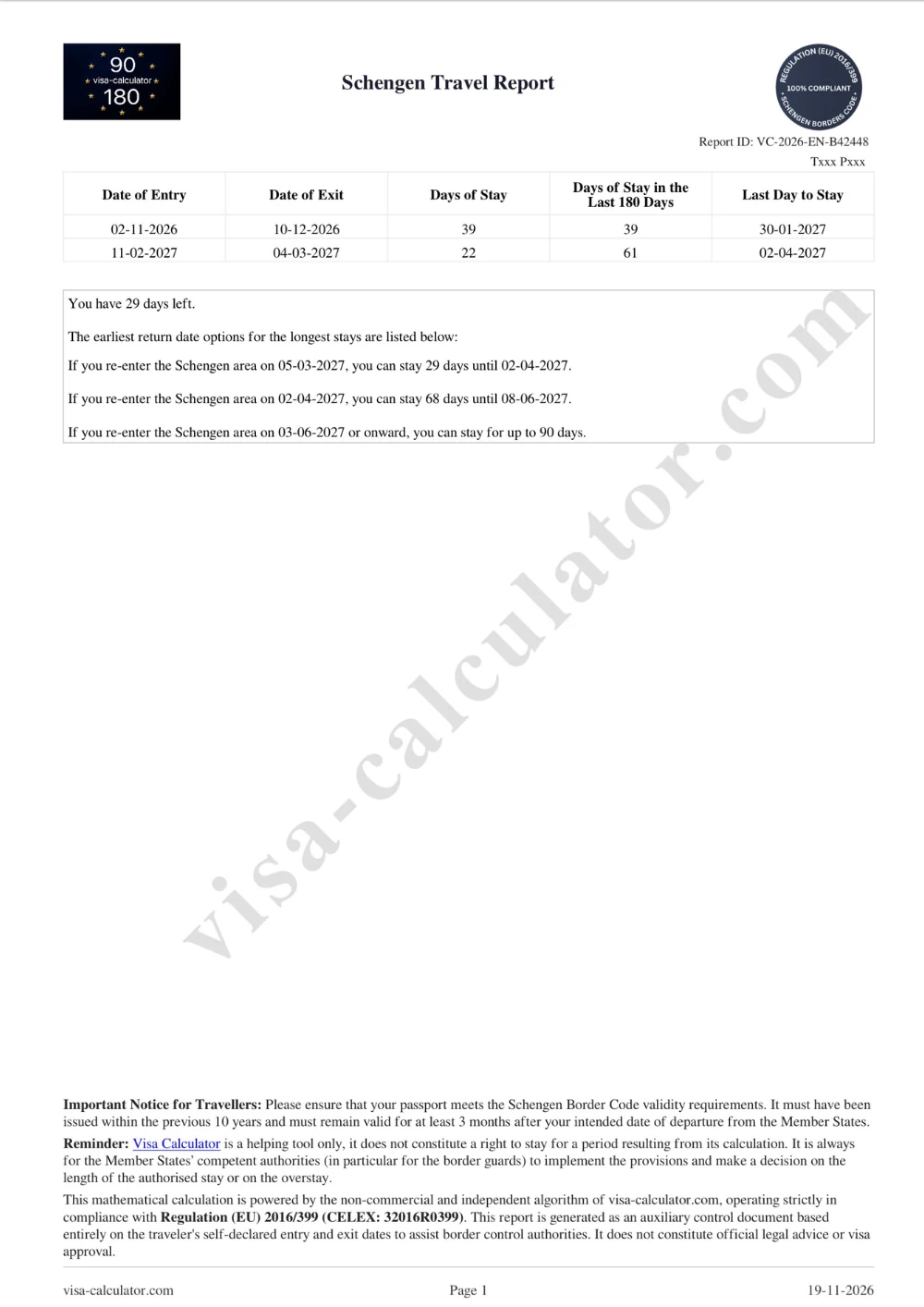
Download privacy-safe Border Guard Mode PDFs
- 10-Language Report Support: Download your travel reports in English, German, Turkish, Spanish, French, Russian, Portuguese, Chinese, Japanese, and Korean without losing any of your entered data.
How to Get Started
Because traveler profiles are saved securely to your personal workspace, Multi-Traveler Manager is available inside your member dashboard (My Schengen Travels):
- Click "Log In" in the top-right corner of visa-calculator.com (or create a free account if you are a new user).
- Once logged into your My Schengen Travels dashboard, locate the Multi-Traveler Manager button near the top of the page.
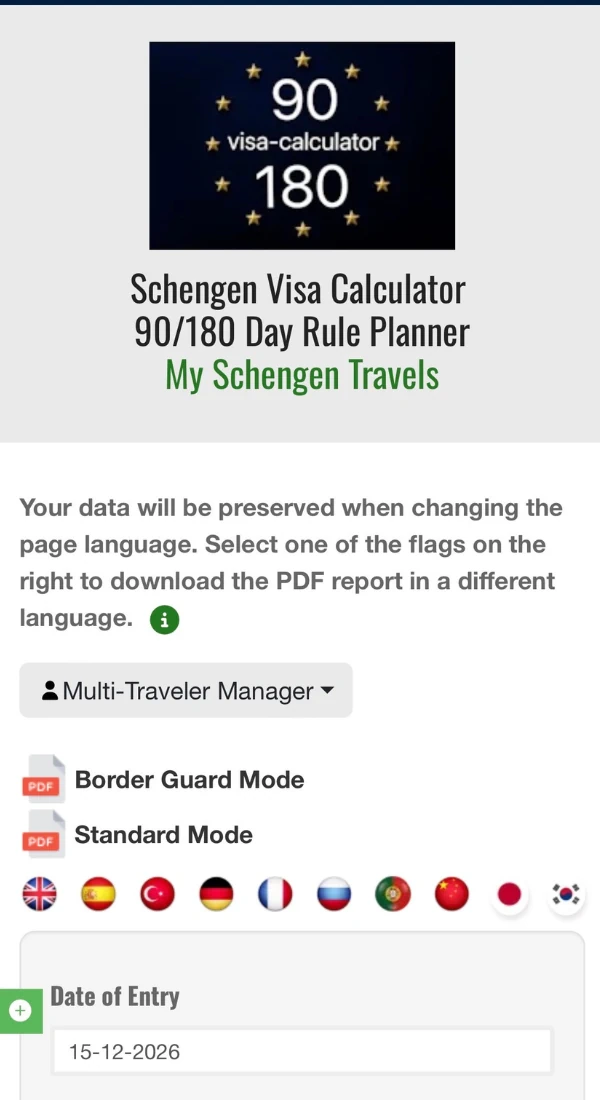
Open Multi-Traveler Manager in your dashboard
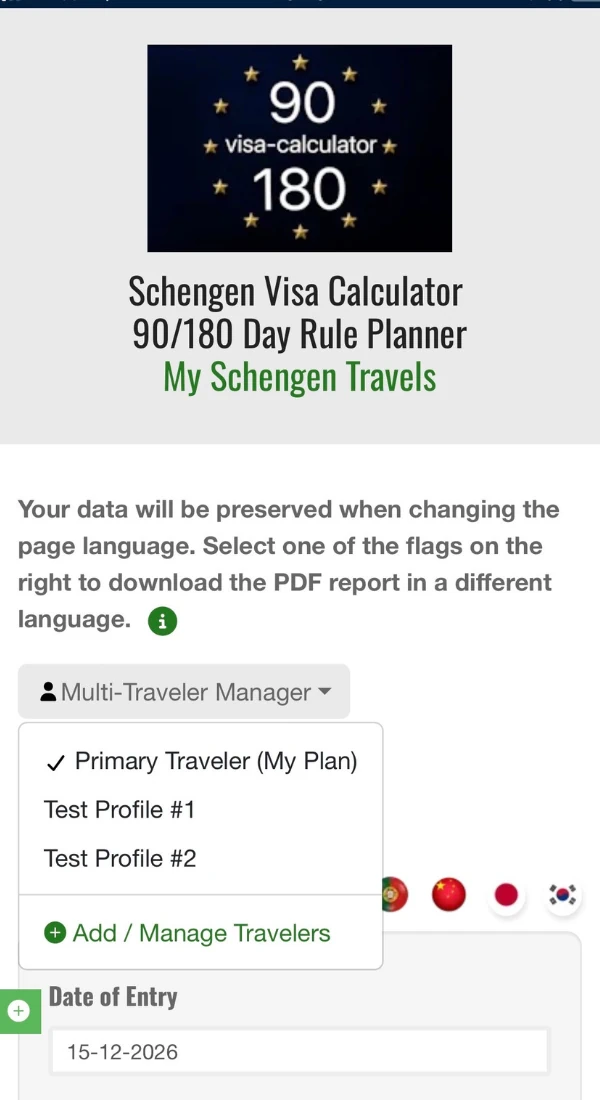
Switch profiles or click Add / Manage Travelers
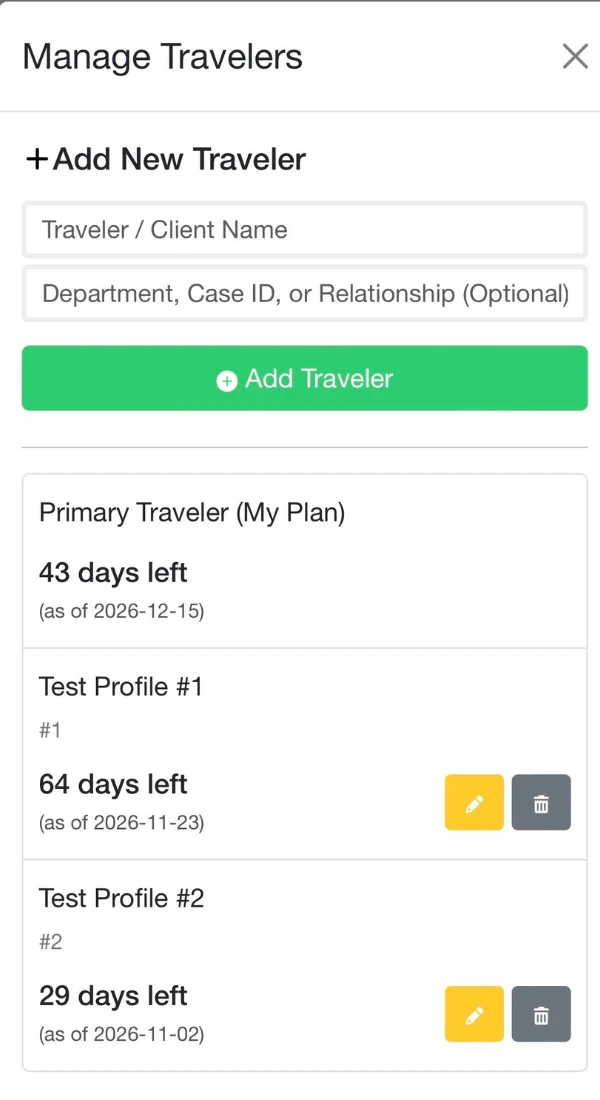
View remaining days for up to 50 profiles
- Click the dropdown menu and select "+ Add / Manage Travelers" to create new profiles with custom labels (Department, Case ID, or Relationship).
- Select a traveler profile, enter their entry and exit dates with optional trip notes, and click "Calculate & Save Your Plan".
- Click any language flag to download a Standard Mode or Border Guard Mode PDF report ready for travel or compliance records.
Ready to simplify multi-person Schengen tracking? Log in or register on visa-calculator.com to unlock your Multi-Traveler Manager workspace today.
Last update: 22-11-2026 10:21


